Marketing + Branding
This section hopes to provide some basic information how how ACM does various marketing and branding items like making fliers, ordering marketing equipment, branding rules, etc.
Marketing Approaches + Resources
- CSTask - You can send your flyers or advertisements to cstask (email maintained by the CS Office staff). They will print the number of flyer copies you request and can also send the flyer or advertisements to all computer science students. Ask the current President or the CS Office Staff for the email address for cstask.
- ACM Google Groups - ACM maintains multiple google groups with student emails depending on the different perferences. You should send any advertisements or flyers to the pertaint list. Ask the current President for more information.
- Hanging Flyers - Various buildings will allow you to hang flyers or advertisements up. See the Hanging Locations section for more information.
- Word of Mouth - Definitely the most powerful form of advertisement. Send out personal invitations to people you think who would be interested in coming or have people themselves spread the word. Most people will ignore emails or flyers but are much more likely to come when directly invited
Flyers
The majority of the marketing efforts for ACM is through flyers. Whenenver ACM hosts an event, an effort should be made to design, develop, and post flyers around the pertinent school buildings so that students can be made.
Note
Certain buildings will only allow you to hang fliers if there is the Missouri S&T logo somewhere on that flier. Moreover, before you hang up a flyer in any building, be sure to ask the front office for permission.
Hanging Locations
Please see the table below for the buildings we have hung flyers in, the number of flyers necessary for the building, and if you need approval to hang items in the building.
If you need tape to hang the flyers, ask the CS Office.
Note
Most buildings have designated boards where students must hang flyers. Please do not deviate from these areas as they may no longer allow students to hang flyers.
| Location | Number of Flyers | Approval Required? |
|---|---|---|
| Computer Science (CS) | 25 | Ask CS 327 |
| Thomas Jefferson (TJ) | 18 | Ask front desk, they will hang |
| Emerson Electric (EE) | 3 | Ask office supervisor |
| Residental Commons 1 & 2 (RC1 & RC2) | 14 | Ask front desk, they will hang |
| University Commons (UC) | 10 | Ask front desk, they will hang |
Creating Flyers
This section will show how to create flyers for ACM.
Canva
Canva is a very beginner-friendly, no design skills necessary tool for creating fliers. I will not go into to much detail onto how to use it, but create an account using your S&T email and play with it until you are comfortable.
Manually
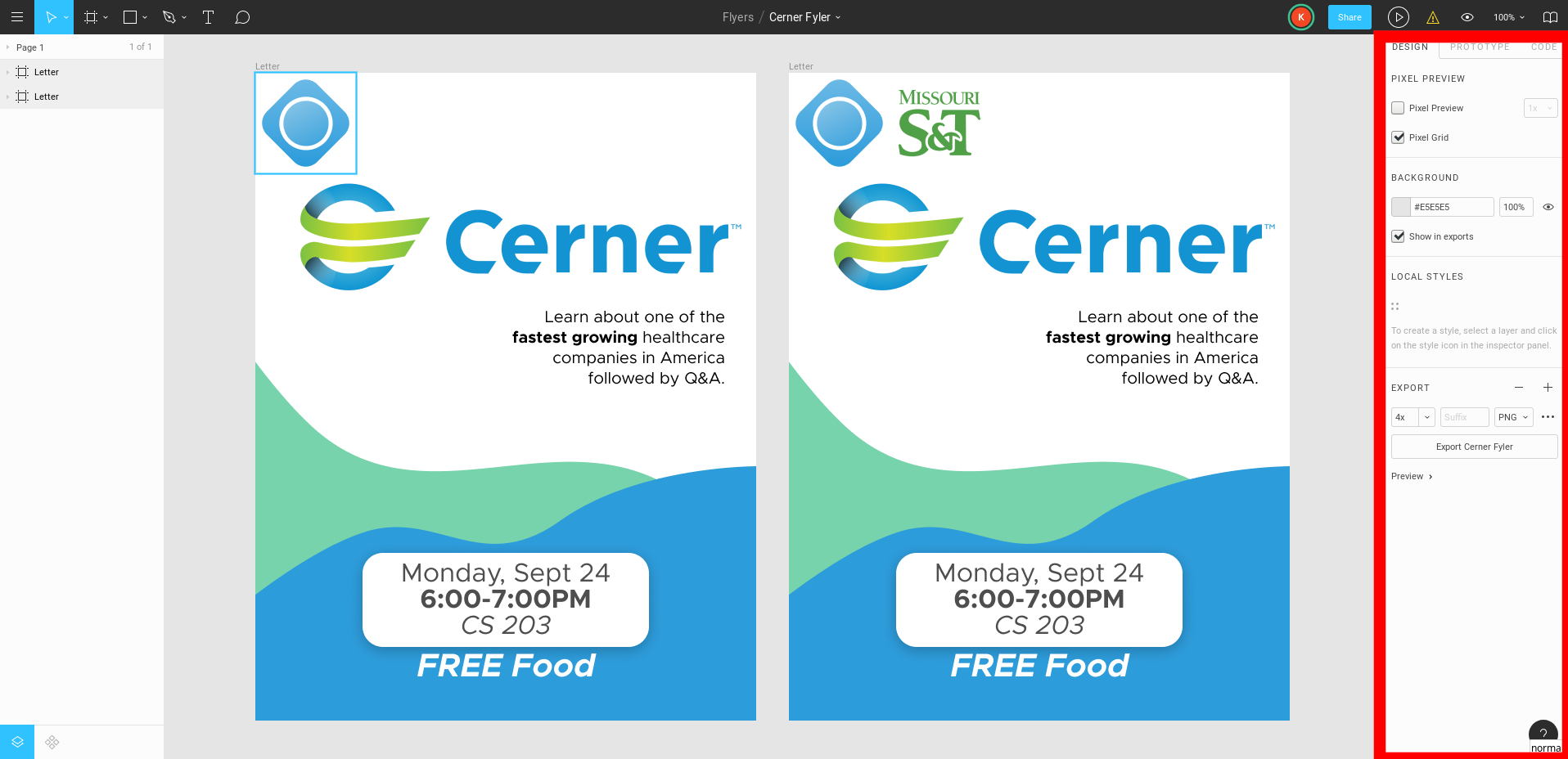
Canva is wonderful, but if you’re an able designer it will probably be more effective to create your own. You can use a tool like Adobe Photoshop, Adobe Illustrator, or Figma. We prefer Figma because it is free for students. The remainder of this section will focus on Figma.
The first step to using Figma is asking the current President or Chair of ACM Web to add you to the Missouri S&T ACM Figma group. The design group contains all previous flyers with Figma and other ACM assets useful in the creation of marketing materials. When you are added to the group, you can either copy an old flyer as a template or create a brand new design.
When you are finished, you can export the design to:
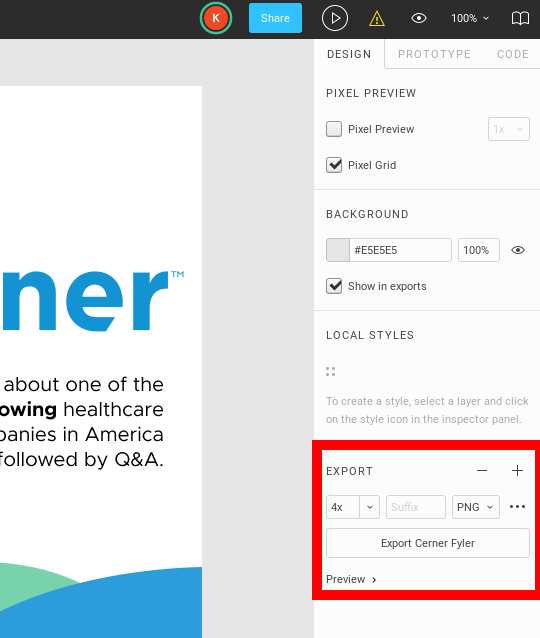
- Select the frame, choose PNG as your export method, and set scaling to 4x or greater (the 4x or greater makes the image have a very high resolution).
(Linux and Mac) Use the tool
convertto change png to pdf. (Windows) Use online tool to convert png to pdf.$ convert --quality 100 <file>.png <file>.pdf
Retractable Banner
We have a 33” x 86” retractable banner from Vistaprint.
The design is located in Figma (Branding Figma). The banner is currently located in the ACM office in a carry bag. Assembly instructions can be found here
Custom Tablecloth
We have a 6’, all over print, 3 sided custom tablecloth from Vistaprint. with 2 sets of tablecloth clamps.
The design is located in Figma (Branding Figma). The tablecloth is currently located in the ACM office in the ACM labeled drawer. Please properly fold the table cloth and put it back in this drawer after every use.
T-Shirts
ACM T-Shirt
Information about the ACM T-Shirt Design can be found in T-Shirt Design Contest.
Previous designs can also be found in Previous Designs.
Vendors
Custom Ink
Custom Ink is ACM’s primary provider of shirts. They are an officially licensed Missouri S&T t-shirt vendor so please note that they will send all designs to be approved by branding before they will print them.
Missouri S&T Branding Guidelines
We are called S&T ACM. This is because of the Missouri S&T branding committee’s rules. When making marketing materials, be sure to always adhear to the very strict rules made by the branding team. If you have questions, contact the branding committee by email or in their office.
- MST is only acceptable in URLs and email addresses. Use SandT for any cases in which you do not have access to the ampersand character. (Twitter, Facebook)
- Don’t use any Missouri S&T branding on S&T ACM T-Shirts unless you plan to discuss with branding first.
- Missouri S&T might try to force S&T ACM to switch its websites to Wordpress again at some point. Do not entertain this idea. Contact Dr. Patrick Taylor for advice in this regard.